Migrate to Shorebird API keys

If your CI pipeline still uses a SHOREBIRD_TOKEN generated by
shorebird login:ci, it’s time to upgrade.
Earlier this year we rolled out a
new auth service
that issues Shorebird’s own tokens instead of proxying Google or Microsoft
refresh tokens. The new tokens — Shorebird API keys — are better in every
dimension that matters: you pick the expiration, you scope the permissions, you
can revoke them instantly, and they’re flagged automatically when leaked.
Existing login:ci tokens keep working through September 2026, after which
they stop. The Shorebird CLI already prints a deprecation warning on every
command when it sees a legacy token, so you’ll know which pipelines still need
migrating.
This post is the practical follow-up to the auth service announcement: why you should upgrade, and exactly how — generating a new API key, swapping it into your CI secrets, and confirming the new token works.
Why upgrade
Until this year, your SHOREBIRD_TOKEN was effectively a Google or Microsoft
OAuth refresh token in a Shorebird envelope. Functional, but it tied your CI
access to whatever the upstream identity provider allowed. We couldn’t set
Shorebird-specific timeouts. We couldn’t revoke individual access. And a CI
token had the same permissions as a human session, the keys to the kingdom,
sitting in a secret manager.
API keys fix all of that.
- You pick the expiration. 30 days, 90 days, 1 year, or never.
- You scope the permissions. “Release & Patch only” exists for CI pipelines that should ship code but should never delete a release, change org membership, or touch billing. (Pro and Business plans)
- You revoke instantly. Delete the key from the console and the next CI run fails.
- Leaks get flagged. API keys carry the
sb_api_prefix, registered with GitHub’s secret-scanning service which means a leaked key in a public repo gets reported automatically. - Storage is one-way. Shorebird stores only an irreversible hash of the key. Nobody at Shorebird, including us, can read your key back to you.
For the architecture behind this (short-lived JWTs, refresh tokens, session management, audit logs, SAML), see the original announcement.
How to upgrade
The migration is easy: generate a new key in the console, swap it into your CI’s
secrets, run the workflow once to confirm. Your CI workflow files don’t change
and the environment variable name (SHOREBIRD_TOKEN) is the same.
1. Generate a new key
Sign in at console.shorebird.dev and open Account → API Keys.
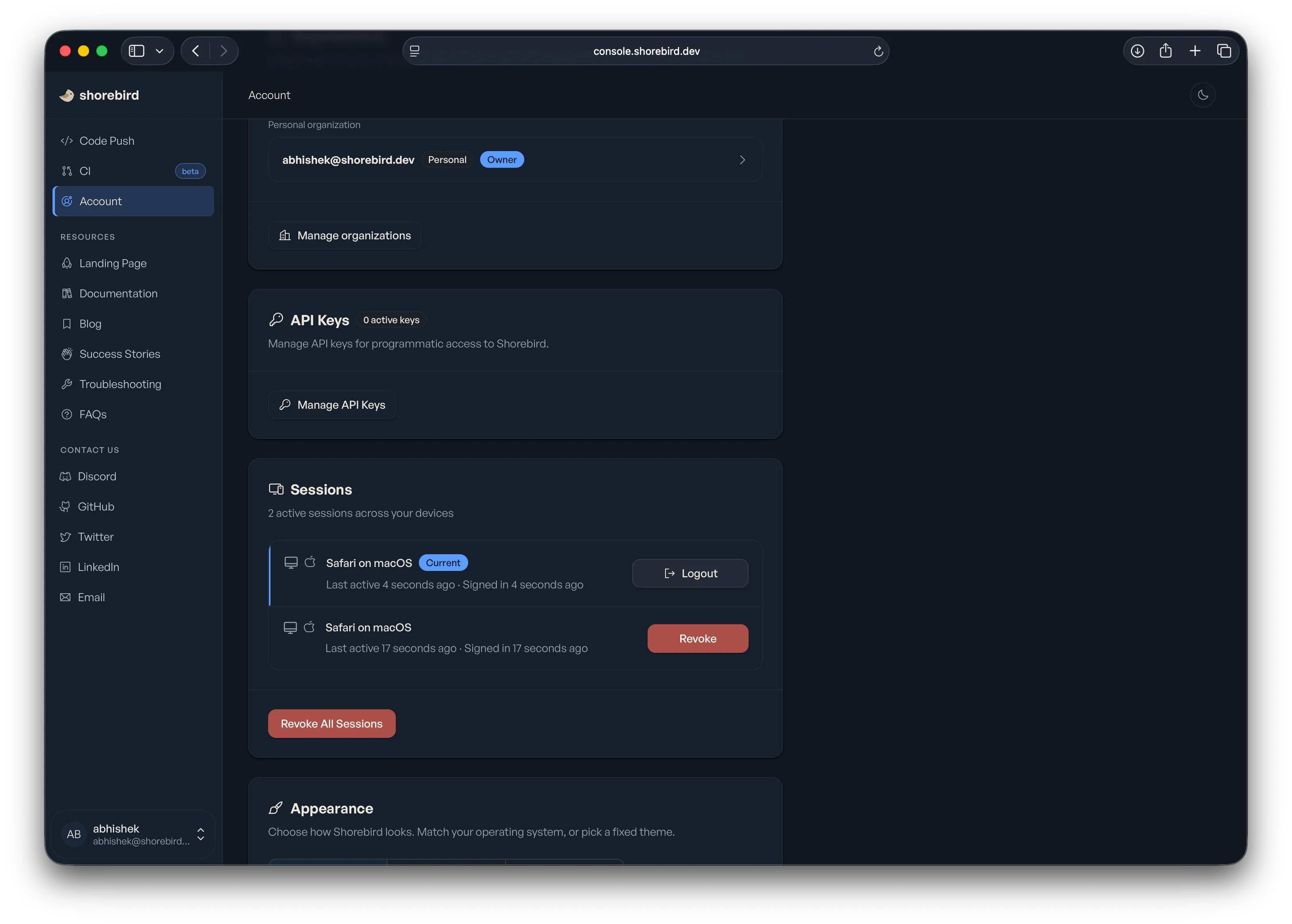
Click Manage API Keys.
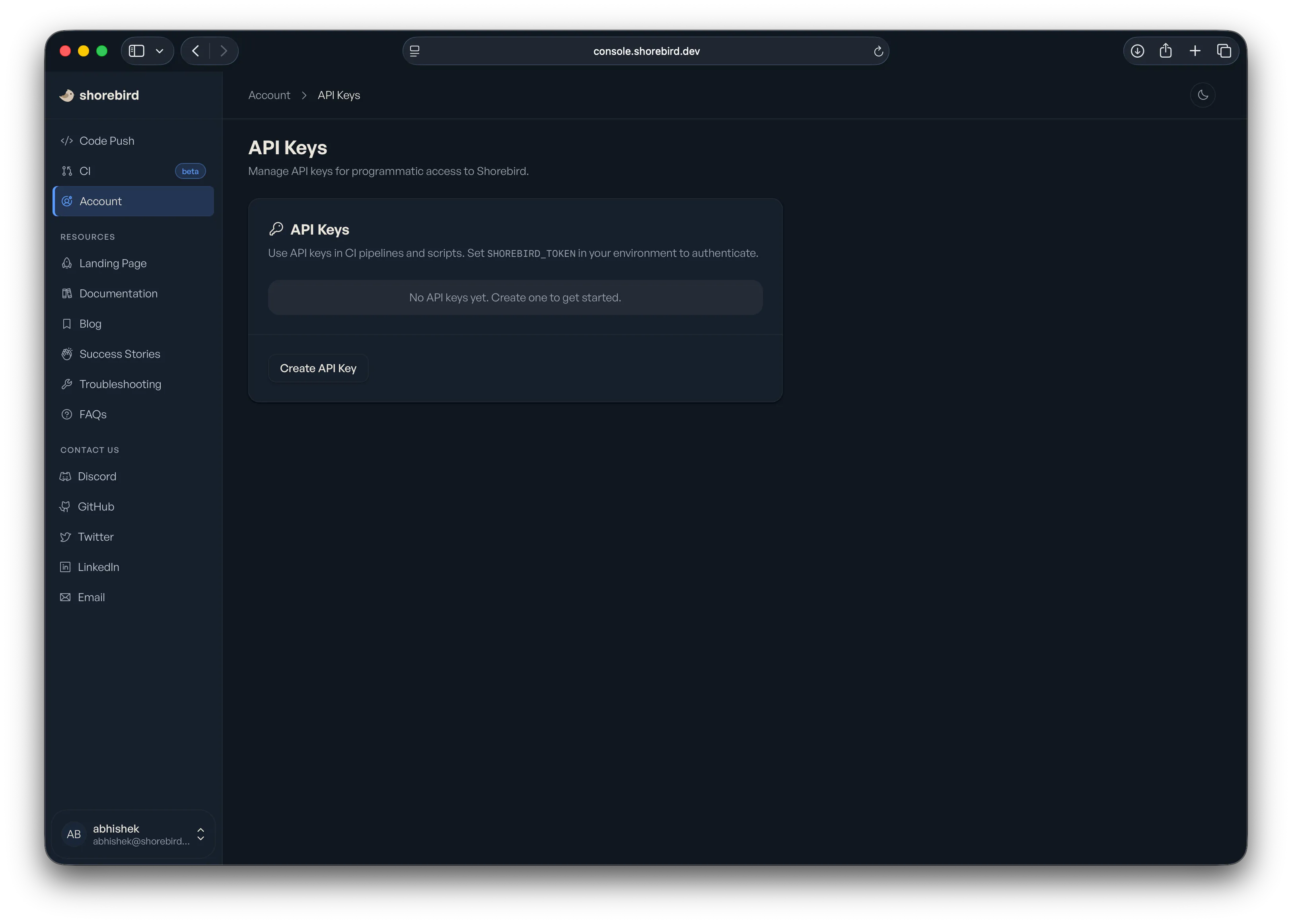
Give it a descriptive name, something like GitHub Actions — my-app. The name
only matters to you and your team when you’re auditing keys later.
Pick an expiration. We default to 1 year. For CI we recommend the shortest expiration you’re willing to rotate.
Pick a permission tier if your plan supports it. Release & Patch only is the right choice for almost every CI pipeline: it can ship releases and patches, and it can’t do anything else.
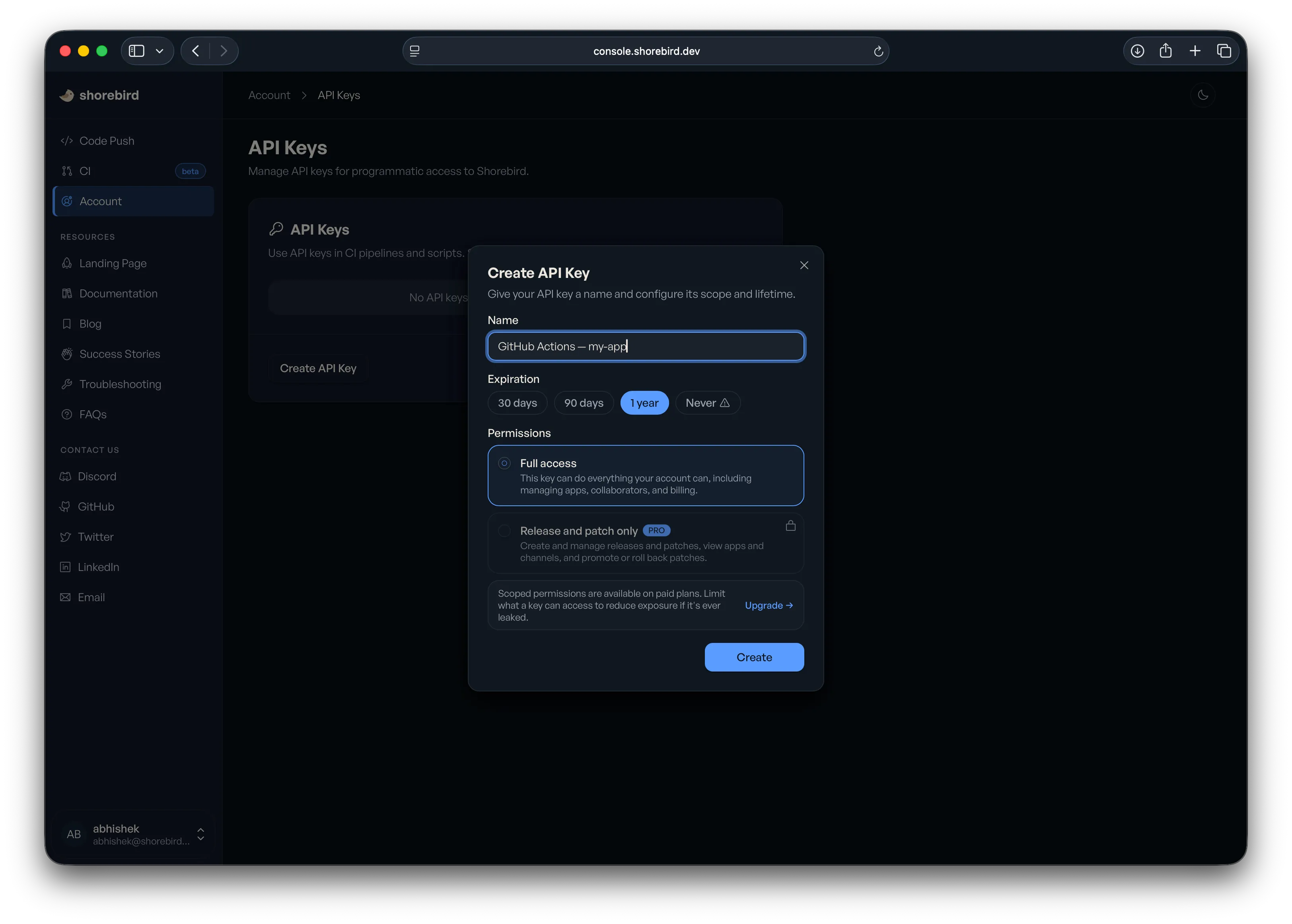
Click Create.
2. Copy the key
The full key value is shown exactly once. Copy it now as there is no way to retrieve it later. If you lose it, generate a new one.
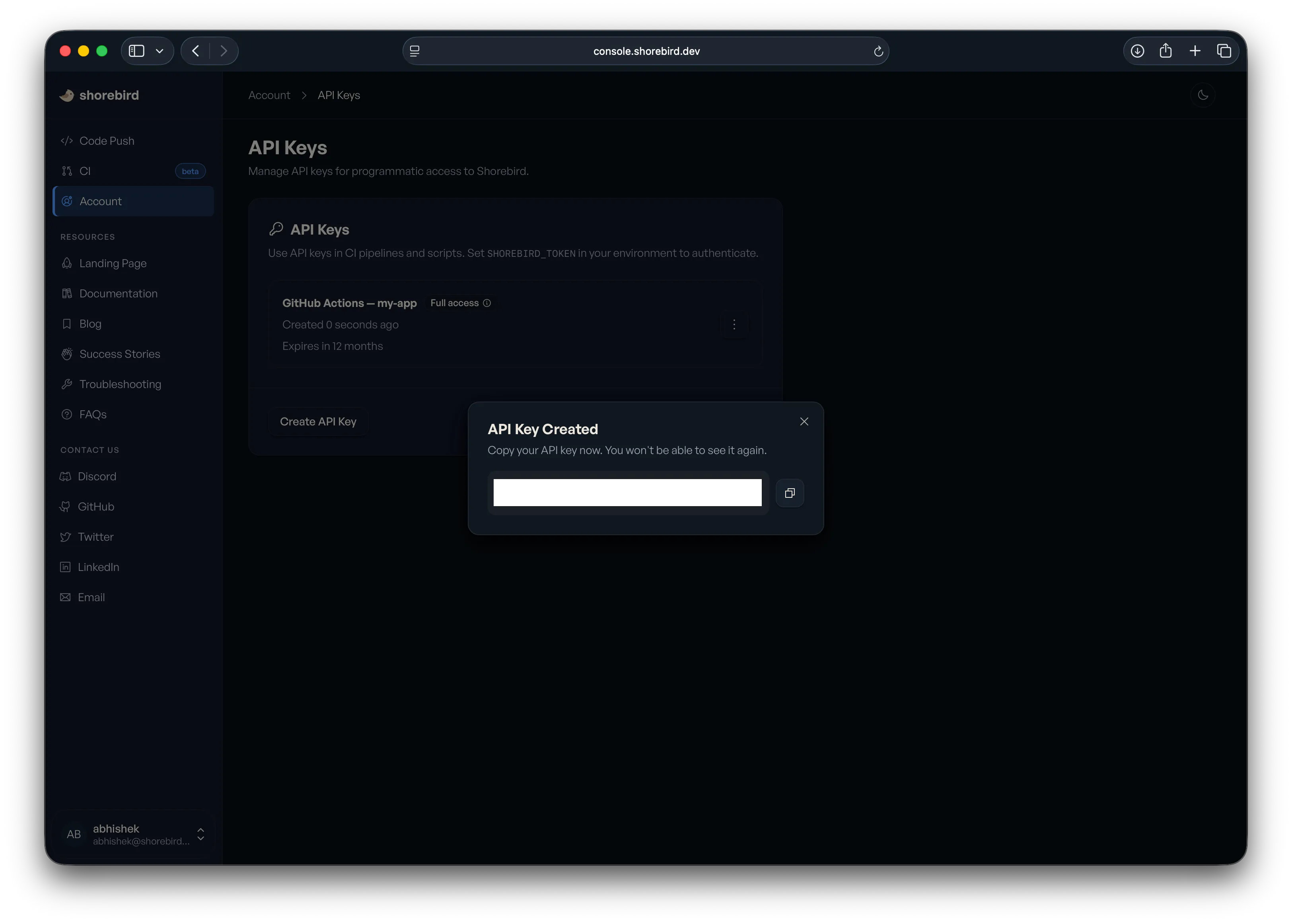
The key starts with sb_api_.
3. Install it in your CI
In your CI provider’s secrets manager, find the existing SHOREBIRD_TOKEN and
replace its value with the new key. The environment variable name is unchanged,
so nothing else needs to move.
- GitHub Actions: Settings → Secrets and variables → Actions →
SHOREBIRD_TOKEN→ Update secret. - Codemagic, Bitrise, CircleCI, etc.: Same idea, different menu names. Find
where
SHOREBIRD_TOKENis stored and replace the value.
For provider-specific setup, see our CI integration docs.
4. Run the workflow once
Trigger a build and confirm the Shorebird step succeeds. If you’ve been seeing the legacy-token deprecation warning in CI logs, it should be gone after this run.
5. Delete the old key
Once the new key is working, delete the old login:ci token from the console or
let it expire on its own. There’s nothing to clean up locally.
Rotation, not migration
The migration above is also the rotation flow. Generate a new key, swap it into your secrets manager, delete the old one. That’s it. With expiration set to 90 days or 1 year, rotation becomes a normal, boring part of your CI hygiene instead of a thing nobody touches because the token “just works.”
Deprecation timeline
Tokens issued by shorebird login:ci will keep working through September
2026. After that, they stop. The CLI warns on every command when it sees a
legacy token, so you’ll know which pipelines still need attention.
If you have a lot of pipelines, do them one at a time. You don’t have to migrate everything at once.
Further reading
- Introducing Shorebird’s upgraded auth service — the architecture and the roadmap.
- API Keys docs — the source of truth for the console flow, including key revocation and expiration options.
- CI integration guides — per-provider setup for GitHub, Codemagic, Fastlane, and generic CI.